Database
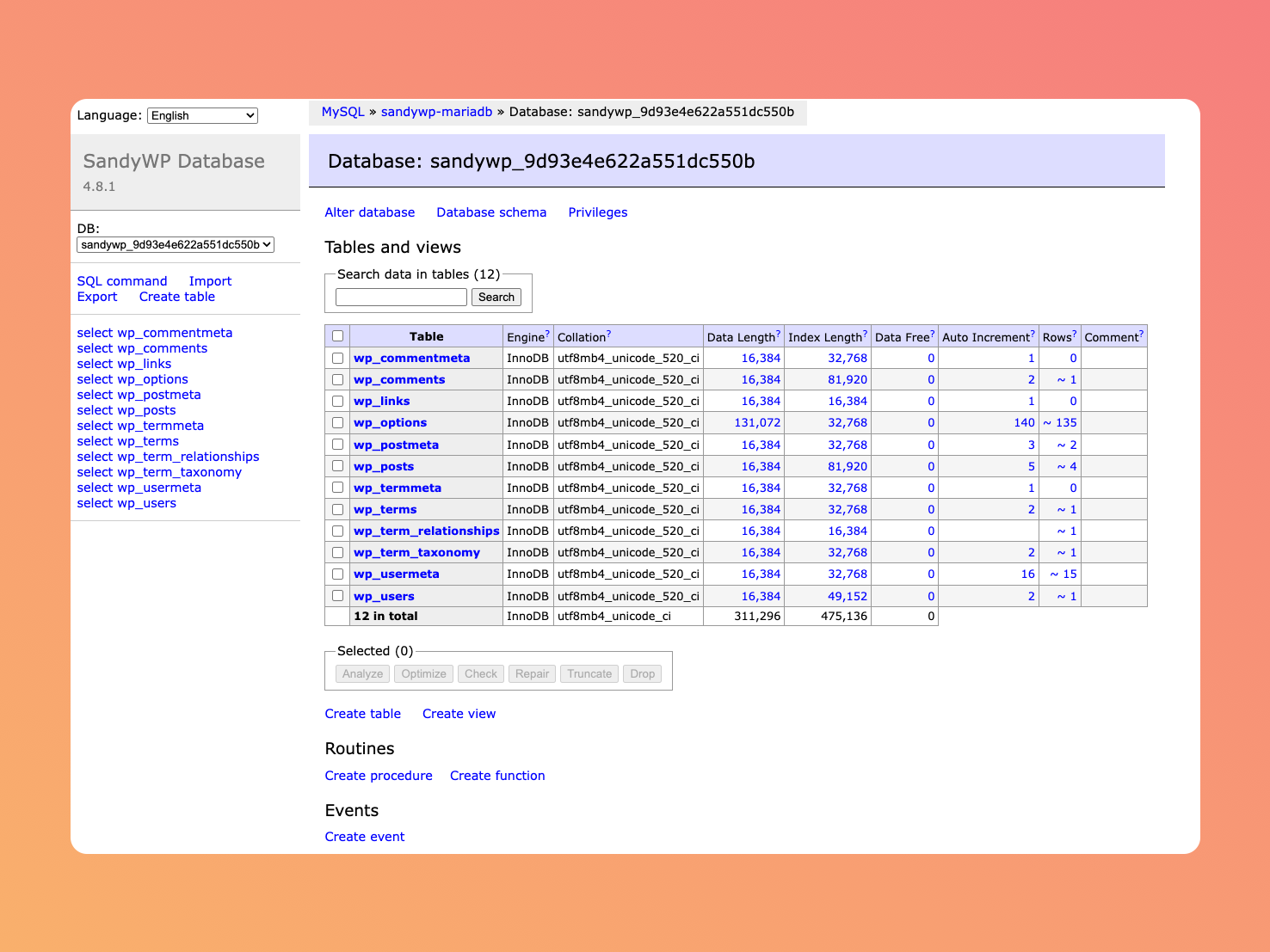
Every sandbox has its own database. SandyWP gives you a one-click way into a full web-based database manager so you can run SQL, inspect tables, and edit data directly.
Open the database manager
On a ready sandbox, open the actions menu (the … button) and choose Database. The sandbox's own page lists Database under Tools in its left sidebar too. SandyWP mints a fresh, short-lived link scoped to that sandbox's
database and opens it in a new browser tab.
The database manager opens in a new tab (not embedded in the dashboard) because it manages its
own session, which browsers' third-party-cookie rules make unreliable inside a frame. A new
link is generated each time you open it.
What you can do
You're connected directly to the sandbox's WordPress database, so you have full access to do things like:
- Browse the
wp_tables posts, options, users, and the rest. - Run arbitrary SQL queries.
- Edit, insert, or delete rows.
- Export or import data.
It's a sandbox, so experiment freely and if you mangle the data beyond repair, just create a fresh sandbox.
Notes
- The database tool is only available on a
readysandbox. - The link is short-lived; if the tab sits idle and stops working, reopen it from the actions menu.
- Prefer editing files instead of data? Use the File Manager.
Next steps
- PHP settings tune the runtime around your database work.
- Templates snapshot a seeded database to reuse.